How to opt-out of Canvas Conversations (Inbox)

Last updated: Apr 10, 2026
21575
views

Overview
Opting out of Canvas Conversations (Inbox) does not mean that you will never receive Canvas messages. Rather, it redirects messages sent within Canvas to your preferred external email address, e.g., your @fsu.edu address. This way, you only need to check your email for course messages instead of going into Canvas. This differs from email notifications, as the message is sent directly to your preferred email address.
Note: It is still important for you to verify that your Canvas notifications are set up appropriately before you opt out of Canvas Conversations, or you may miss some messages.
Steps
-
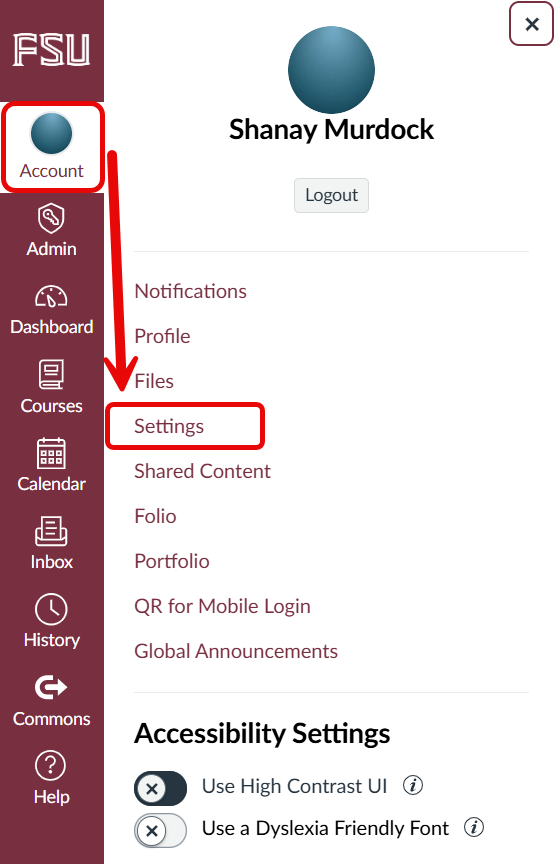
On the Global Navigation menu, select Account, and then
select Settings.
-
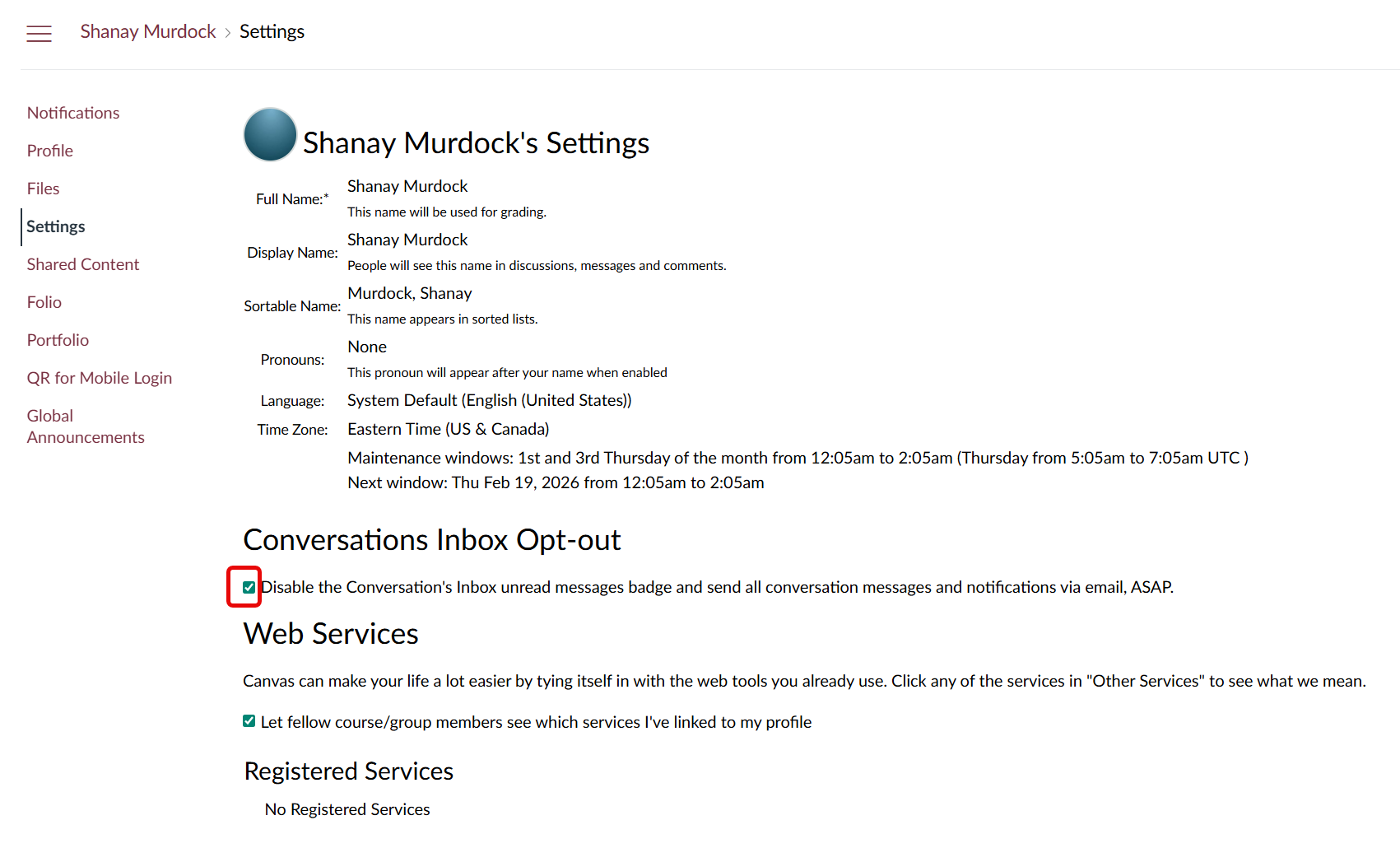
In Settings, check the box for
Conversations Inbox Opt-out. The change is
automatically applied.