


Students: How to submit to a Career Portfolio Canvas assignment

Apr 27, 2026
 6536
6536
Submitting Your Career Portfolio to Canvas
You may need to complete your work in the FSU Career Portfolio system, and then submit the assignment in Canvas using the instructions below.
The instructions below assume you have created your Career Portfolio and you're ready to submit it as part of an assignment requirement. Once you have completed your FSU Career Portfolio, you will use the "Share" function to submit the assignment.
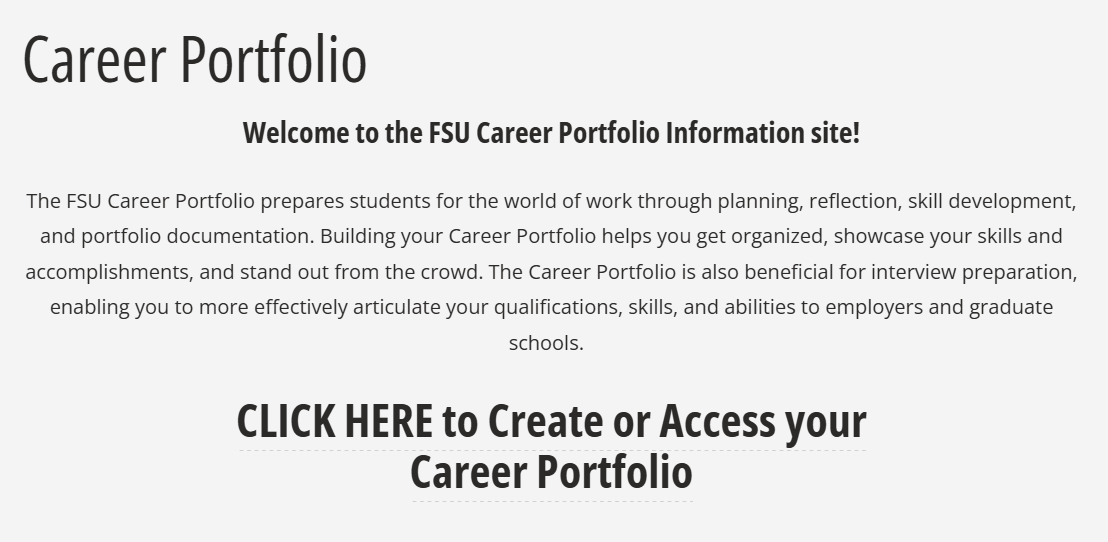
- Visit the FSU Career Portfolio site to access your portfolio. Click on CLICK HERE to Create or Access Your Career Portfolio. You may be prompted to log in using FSU's Single-Sign On (SSO) process.
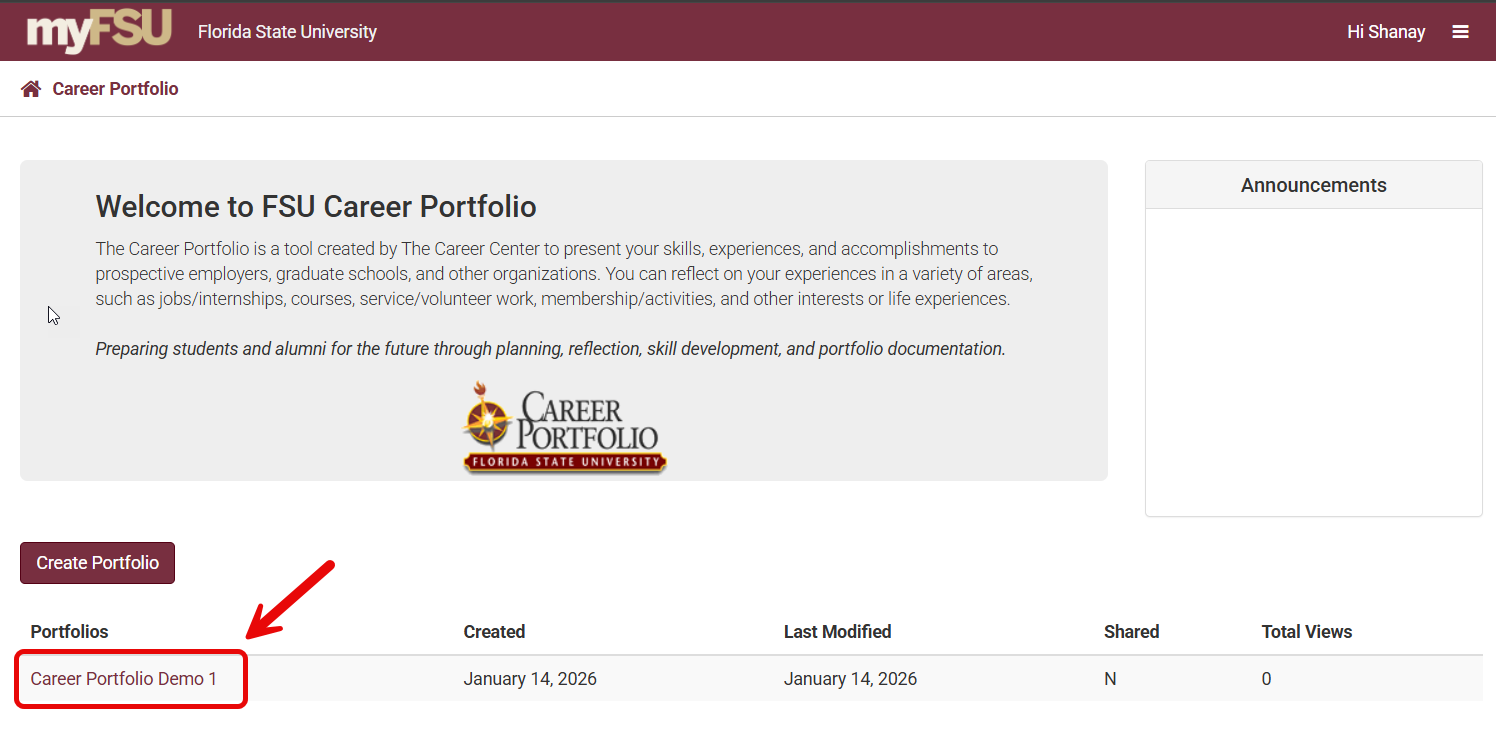
- On the Home screen, click on the name of the portfolio.
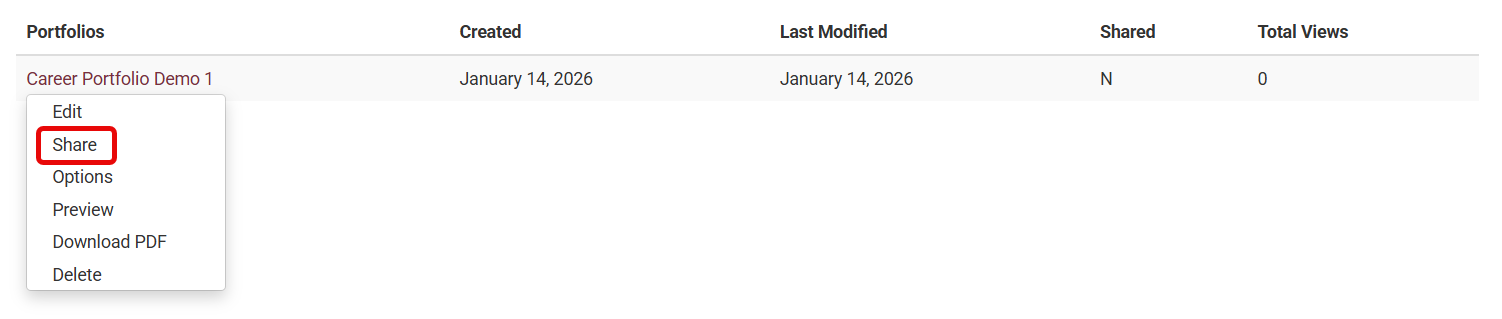
- Click Share.
- Create an Access Password/Key. The Access Password can only be one word, with no special characters. Be sure to click Save.
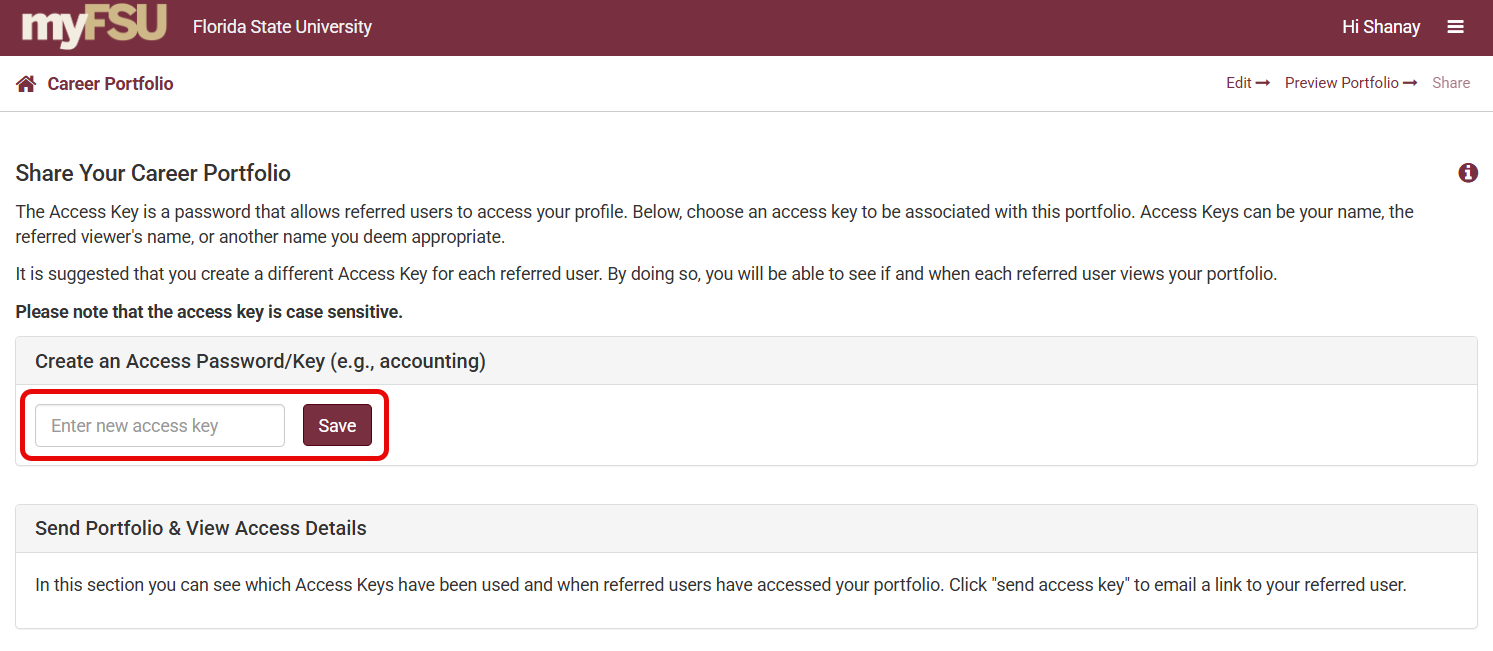
- The Access Password will then show up in the "Send Portfolio & View Access Details" section.
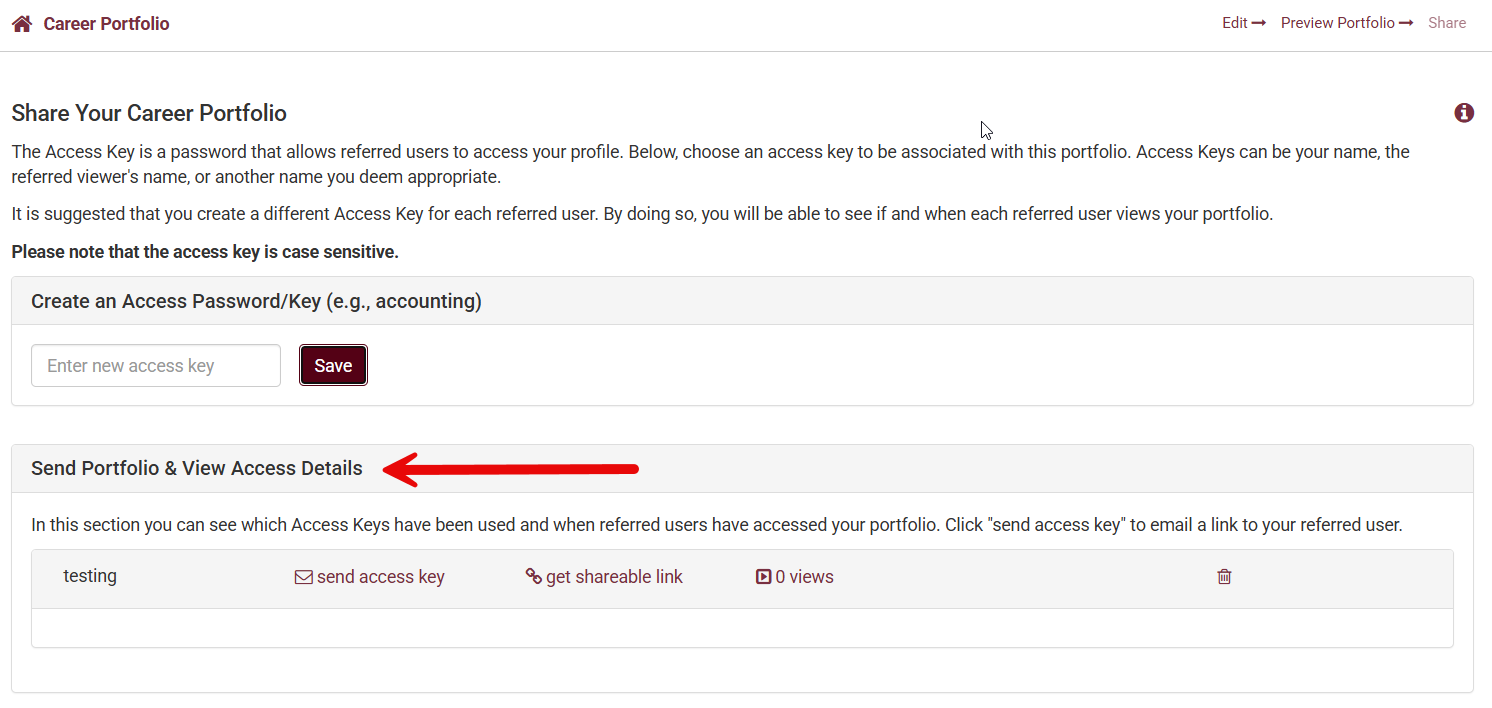
- Click on Get shareable link.
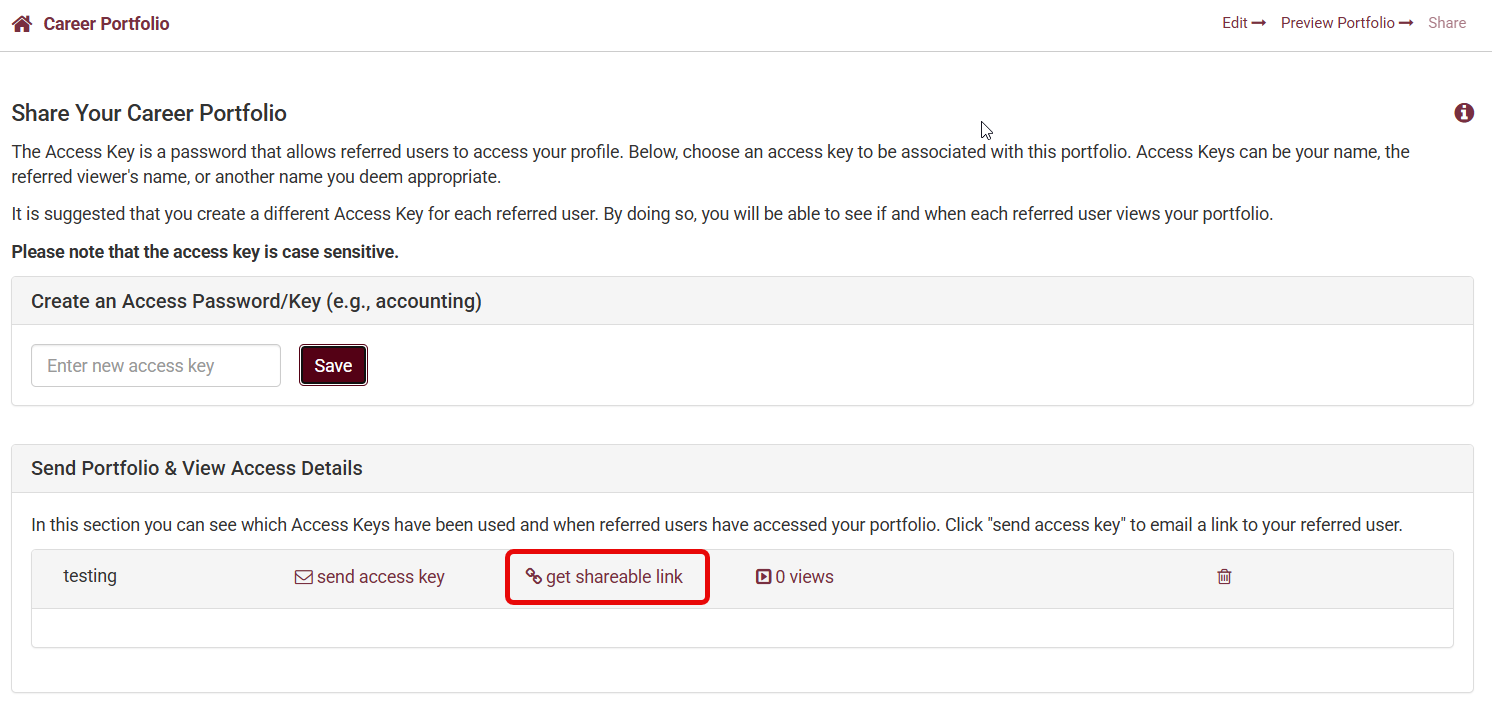
- A pop-up will appear with the shareable link to copy.
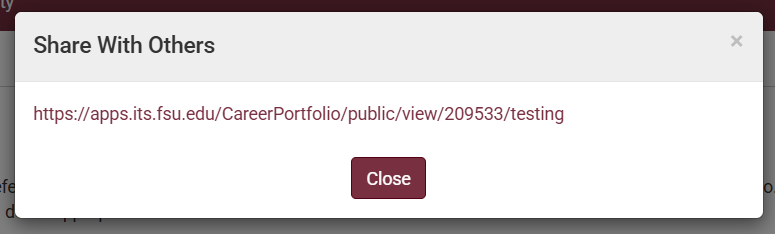
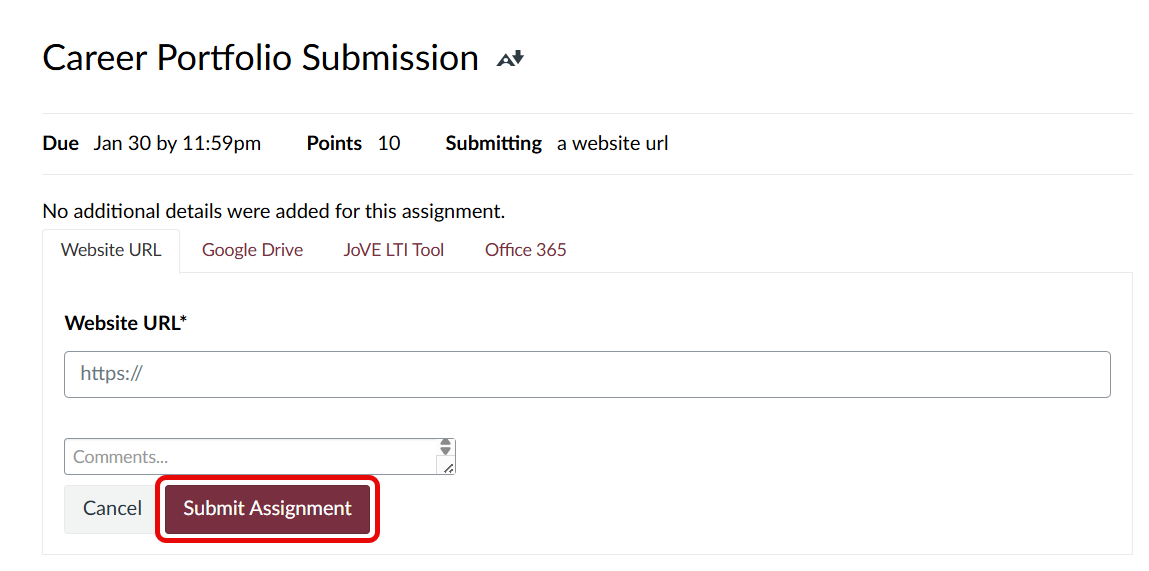
- Copy the URL and paste this into the Assignment in Canvas.
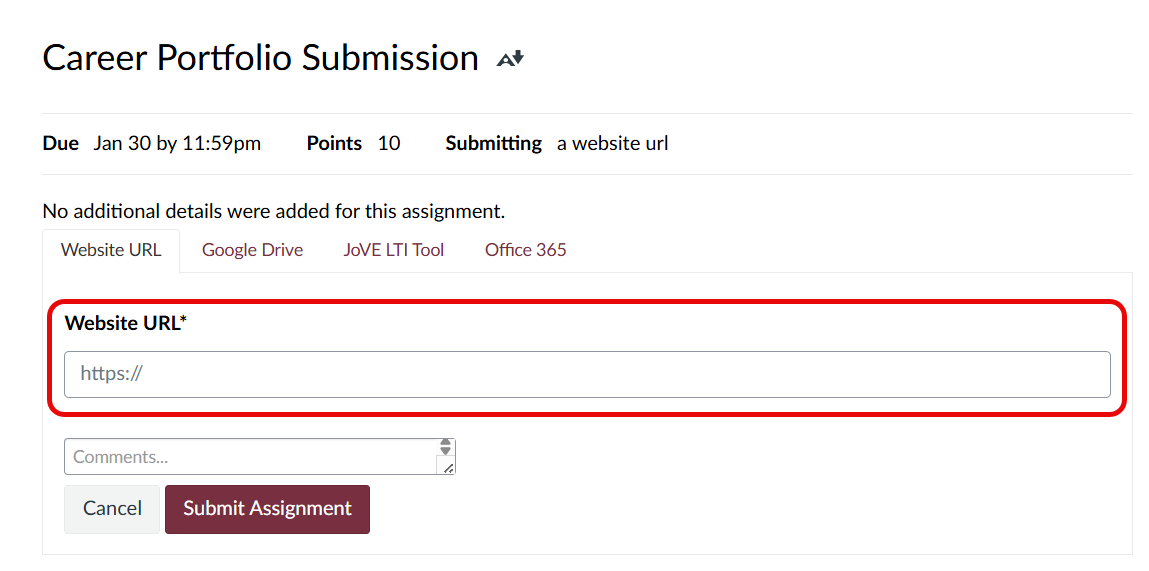
- Click Submit Assignment to submit.
Further Resources
If you run into any difficulties while creating your portfolio, you can refer to the Career Portfolio's User Guide, Career Portfolio Tutorials offered in PowerPoint format, and the Career Portfolio Troubleshooting page. Please refer to the Career Center for instructions on creating your Career Portfolio.











