13
13
Note: that this article applies to instructors enrolled in cross-listed course sections only. The student experience is unaffected whether in cross-listed course sections or not.
Overview of Cross-Listed Sections
FSU's Simple Syllabus site uses a section-level LTI with Canvas. With a section level LTI configuration, students enrolled in a cross-listed/merged course will always see the section's syllabus for their specific enrollment within Canvas. This configuration is ideal for institutions that wish to place priority on the student experience in Canvas, ensuring each student receives the syllabus specific for their exact enrollment when syllabus content may differ across sections in a cross-listed course.
Troubleshooting Simple Syllabus Section Errors
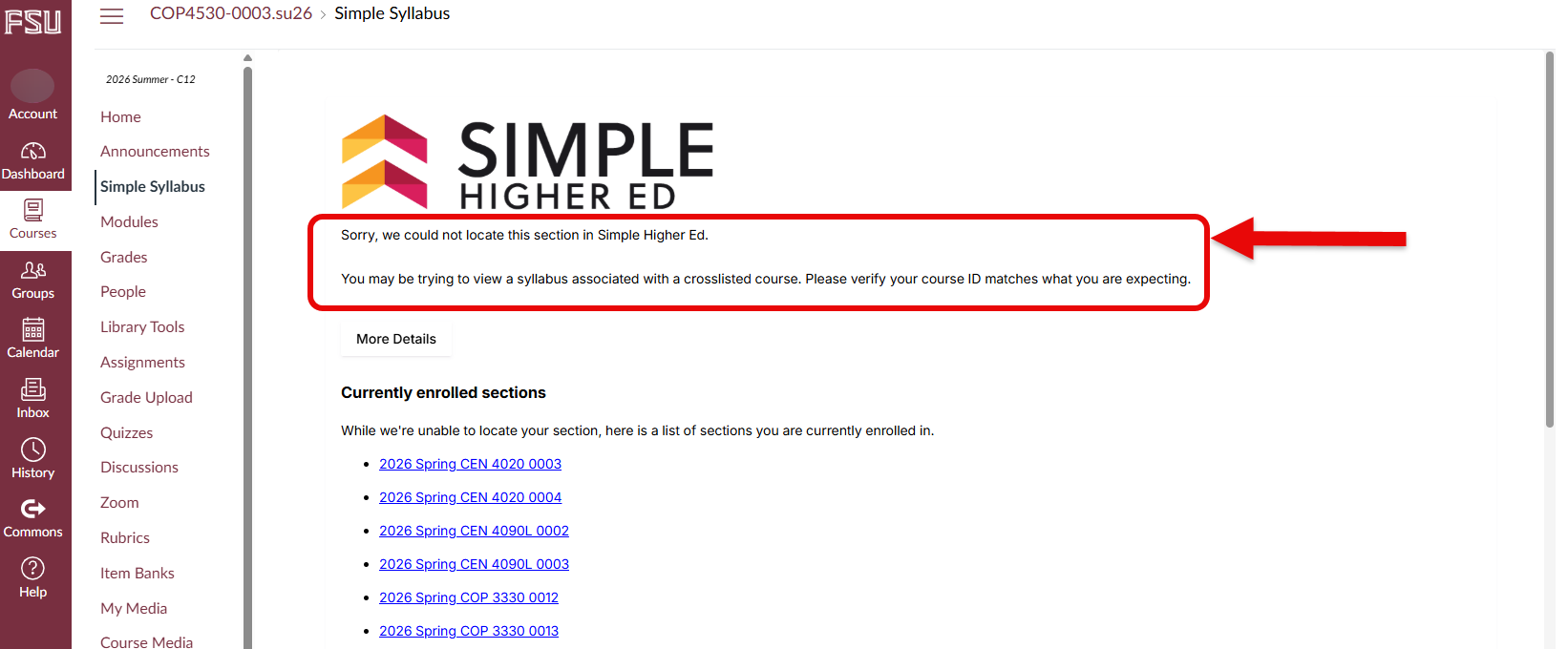
Instructors may notice an error message populate when accessing Simple Syllabus in their cross-listed courses/sections within Canvas. Follow the steps below to access your cross-listed course syllabi in Canvas should this occur.
If the error populates, it will read "Sorry, we could not locate this section in Simple Higher Ed. You may be trying to view a syllabus associated with a crosslisted course. Please verify your course ID matches what you are expecting."
Selecting the Correct Course Section
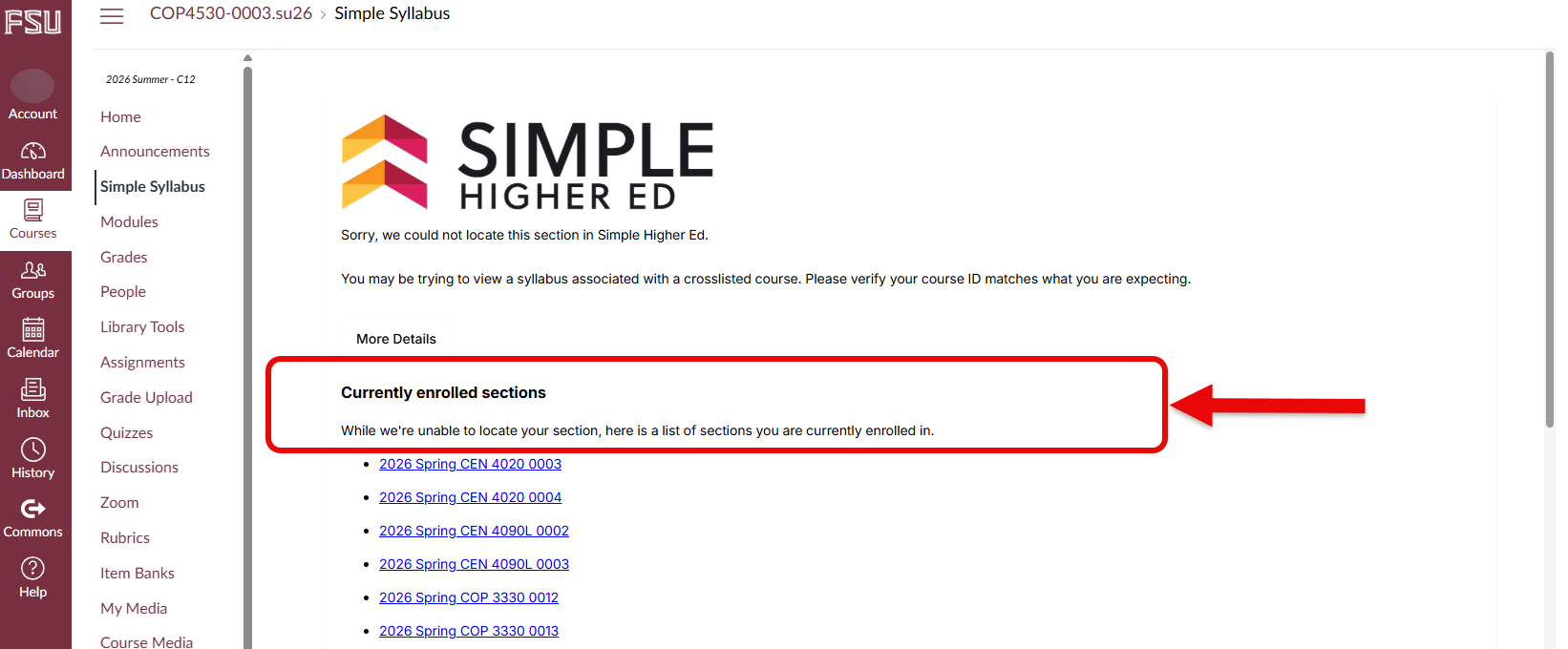
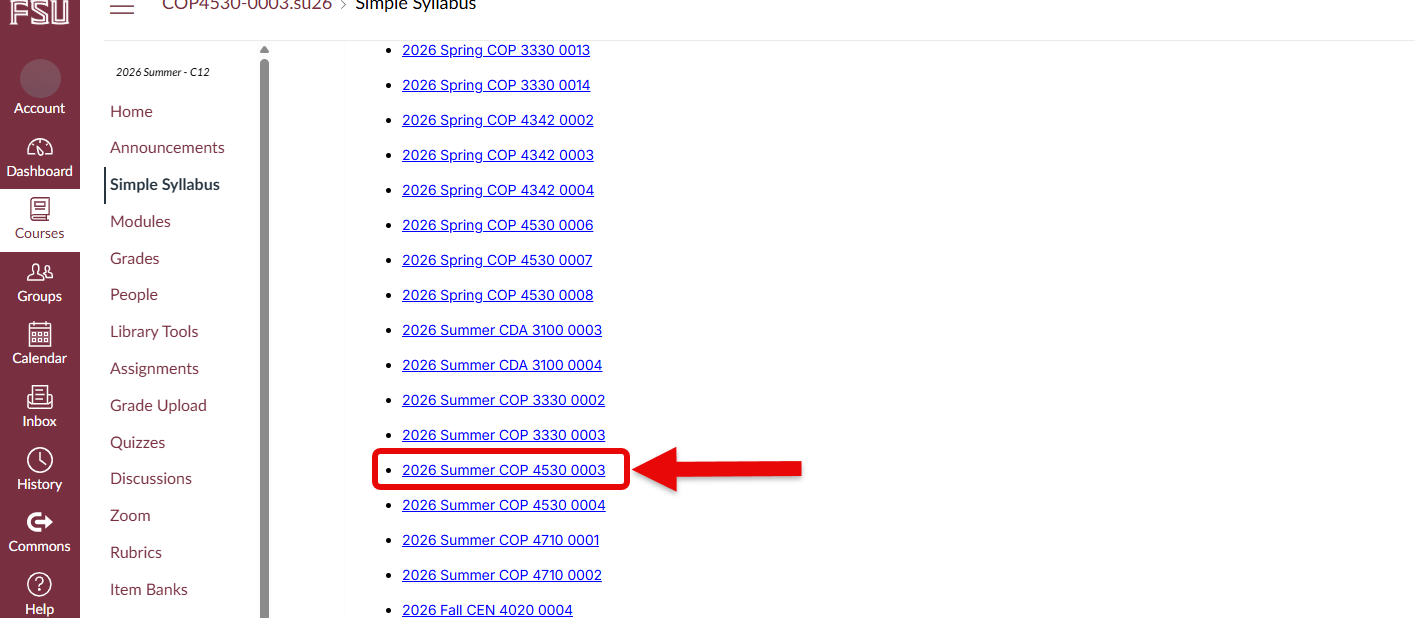
Below the error message, instructors will see the currently enrolled sections. Here, instructors may look through the list of enrolled sections until they locate the course section they are trying to access.
Once the desired section is located, select it from the list.
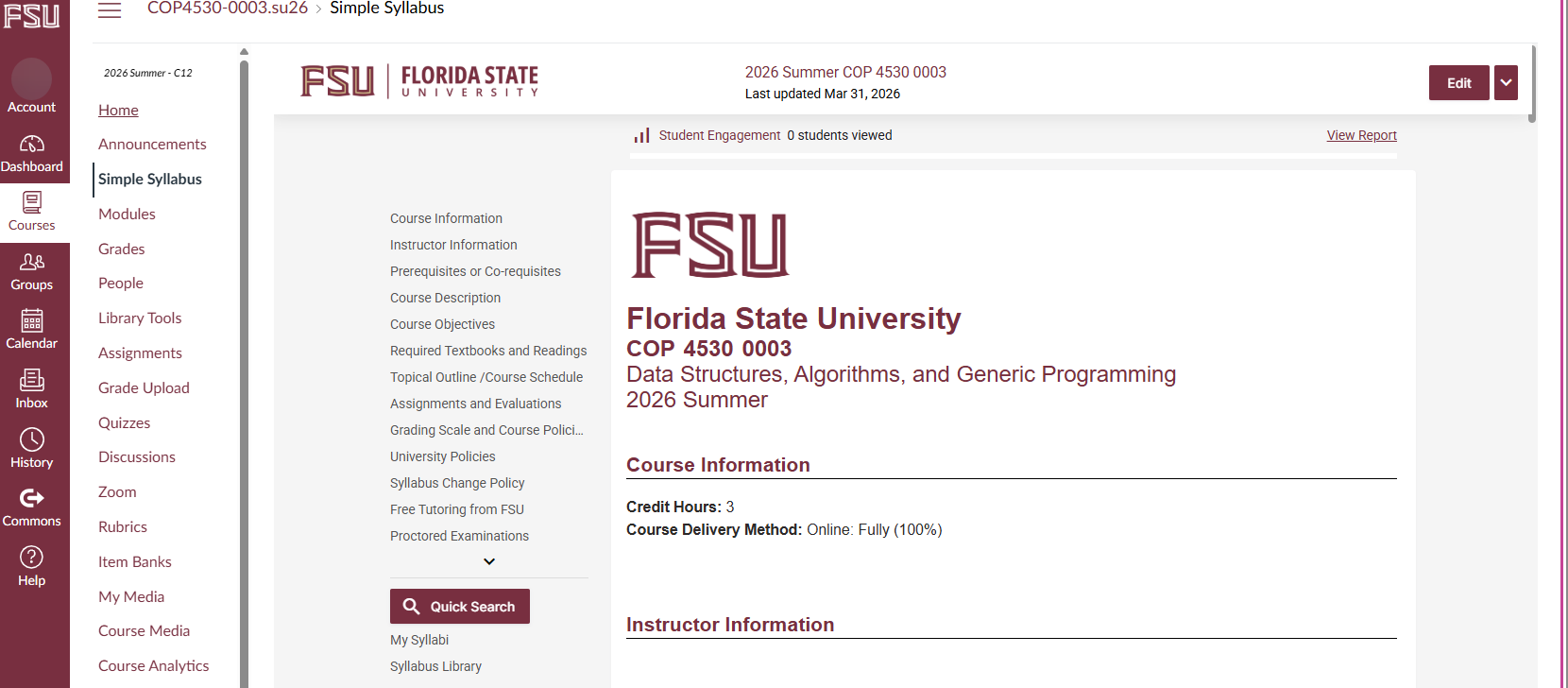
Once selected, the course syllabus for the chosen section will appear, and the error has been successfully circumvented.