


Design PLUS: Syllabus Block Management

Mar 24, 2026
 560
560
Below is how to manage your Syllabus blocks in Canvas using the DesignPLUS editor:
Arrange Content Blocks
When editing an element, select the Arrange Content Blocks option.
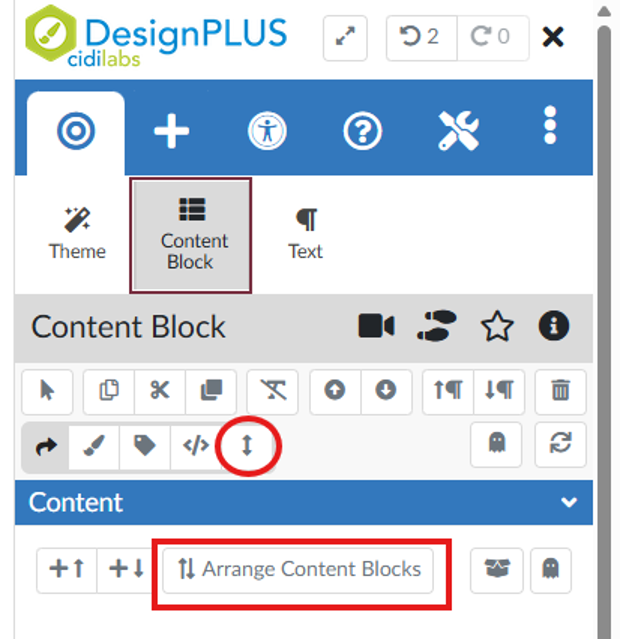
Managing and Rearranging Blocks
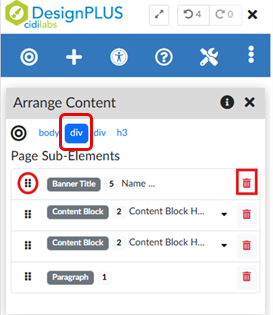
This will load your content blocks in the arrange content window. If you do not see all content blocks listed, ensure you are editing the appropriate div. You can drag and drop to rearrange the blocks or use the trashcan widget to remove unwanted items.
Saving Your Changes
Be sure to select update syllabus or save page once you have made all updates.











