


 5410
5410
Need some simple fixes to improve accessibility? The Office of Digital Learning has a collection of tips for making course content more accessible. See the full collection of accessibility guides.
This tip describes how to add a meaningful description to images in your Canvas course. Images without descriptions are the most common accessibility issue in course sites and the easiest to address. Students using assistive technology, like a screen reader, rely on image descriptions to understand what a picture or chart is showing.
How to Add Image Descriptions
The easiest way to add descriptions to the images in your course is to open your Ally Course Report, scan the list of accessibility issues, and locate content flagged with "The image does not have a description.""

Once you click on the content affected, Ally lists each image that needs attention.

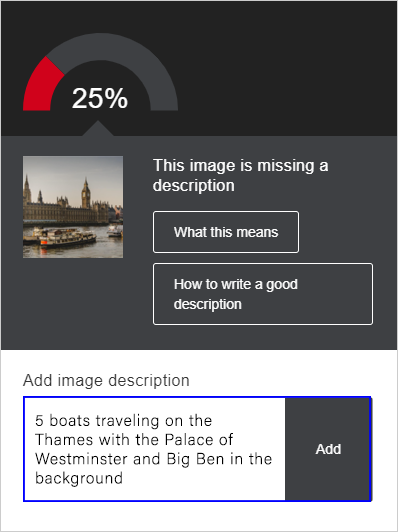
Click on a file, and Ally will walk you through the step-by-step process. Not only will Ally help you add an image description quickly and effortlessly, it will also explain what this particular issue means for students and provide instructions for writing a good and meaningful description.
Make it Meaningful
When you write an image description, avoid entering an image title or file name. Instead, give a brief description conveying the full meaning of the image:
- In the example below, entering a title or file name for the image would fail to help students using assistive technology understand the content and context.
- A more meaningful description would be "5 boats traveling on the Thames with the Palace of Westminster and Big Ben in the background.""
New to Ally?
The Office of Digital Learning enabled the course accessibility tool Ally in all Canvas courses and organizational sites. Ally simplifies the process of converting course materials into formats all students can access. Visit the Ally Resource Guide or the Making Course Content Accessible Site for access to Ally support resources, including webinars and one-on-one consultations.
Please don't hesitate to contact us if you have questions.











